Trusted by 1.2k+ screens

How much does digital signage cost?

Digital signage usually costs a fixed amount per screen per month for the software, plus one-time costs for screens and sometimes a media player. What you pay in total depends on the number of screens, the hardware you need, and the software model.

  • Software from $10 per screen
  • Your existing TV often works
  • Cancel anytime
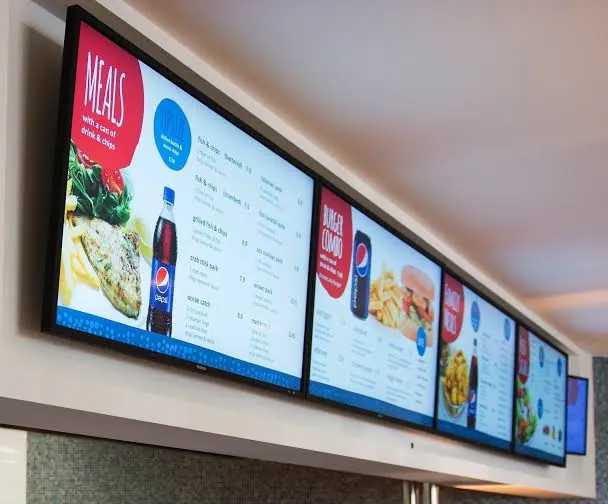
Row of digital menu boards with dishes and prices in a restaurant

What do the costs of digital signage consist of?

You pay for the software monthly. A screen, player, and installation you pay for at most once, and often you already have them. Pick an item and see what your options cost. Indicative prices, price level September 2026.

Which screen do you need?

The screen is usually the biggest one-time expense. Already have a TV with an HDMI port? Then this costs nothing. If you buy new, you choose between two types.

Consumer TV

about $450

per screen, 43-inch smart TV (for example Samsung)

  • Built for home use, a few hours a day
  • Fine for a canteen, waiting room, or meeting room
  • Note: the manufacturer's warranty often doesn't apply to commercial use

Professional display

from about $700

per screen, 55-inch (for example Samsung QM55C)

  • Built to run 16 to 24 hours a day
  • Brighter, so it's easy to read in a shop window or in bright daylight
  • More resistant to burn-in from static images, such as a menu board

Do you need a media player?

The player fetches your content and puts it on the screen. Whether you need one depends on your TV.

Smart TV or your own player

$0

no extra hardware

  • The Stremo app runs directly on many smart TVs
  • Already have a Chromecast or Apple TV? Then you install the app on it
  • All you need is an internet connection

Stremo Player

$99

one-time per screen

  • Works on any TV with an HDMI port
  • With ethernet port $139, for a wired connection
  • Needed if your TV can't run an app and you don't have a Chromecast or Apple TV

Mount it yourself or have it done?

Installation only costs money if you outsource it. If the screen is already mounted, you skip this step.

Tip: ask whether the installer delivers the screen ready to use, meaning already connected to the software.

Do it yourself

$0

no installation costs

  • Mount the screen and plug it in
  • Install the app or connect the Stremo Player
  • Connect the screen to your Stremo account

Have it installed

On request

custom quote

  • Mount the screen, connect it, and deliver it ready to use
  • The price depends on things like mounting, cabling, and the number of screens and locations
  • Request a quote for your situation

What does the software cost?

With the software you create and schedule content and send it to your screens. You pay per screen per month. Updates, hosting, and support are usually included.

When comparing, pay attention to what's included: modules, integrations, users, and support.

Common in the market

about $8 to $25

per screen per month

  • International providers like Yodeck and OptiSigns start around 8 to 10 dollars
  • Dutch providers often charge $15 to $25
  • Extra modules or users sometimes cost more
  • With international providers, the software and support are often only in English

Stremo

$10

per screen per month, with annual billing

  • Fully Dutch: software, customer service, and support
  • Support included, at no extra cost
  • Access to all modules
  • Works on your existing TV
  • 14-day free trial

Who makes the content?

Someone has to create the slides and keep them up to date. Do you currently use USB sticks? Then you already pay for this, in time: every change means walking around to each screen.

Make it yourself

$0

with templates and integrations

  • Pick a template and adjust the text and images
  • Integrations like Google Sheets keep your screen up to date automatically
  • One change appears instantly on all your screens

Have it designed

on request

depending on your wishes

  • A designer creates slides in your own branding
  • The cost depends on the number of designs
  • And on how often you want to change the content
Cost examples

Here's what it looks like in practice

Three examples with Stremo's software price, plus the one-time costs if you need new hardware. Those amounts come from the cost items above.

Save ~20%

1 screen

For example a reception screen to welcome visitors.

$10 /month
Try free for 14 days

One-time costs

  • Existing smart TV: $0
  • Or a new professional display: from about $700
  • Stremo Player, only if your TV can't run an app: $99
  • Installation: $0 yourself, or have it done on request

20 screens

Multiple locations, centrally managed from one account.

$199 /month
Request a quote

One-time costs

  • 20 nieuwe professionele displays: 20 × vanaf circa $700 = vanaf circa $14,000
  • Stremo Players, only where needed: up to 20 × $99 = $1,780
  • On-site installation: quote on request

Calculate your own situation

Choose the number of screens, whether you already have TVs, and whether you want installation. You'll see an instant estimate of your monthly and one-time costs.

  • No credit card required
  • Cancel anytime

Buy once or a subscription?

Some providers sell a one-time license: you pay once and can keep using the software afterward. That's rare in the Netherlands, and you often still pay separately for updates, hosting, or support. With Stremo you can't buy the software outright. You take out a subscription per screen, per month or per year, and pay for as long as you use Stremo. In return you get:

  • A low entry point, without a large upfront investment
  • Updates, hosting, and support included
  • Easily scale up or down per screen
  • Monthly cancellation is the most flexible
View Stremo's subscriptions
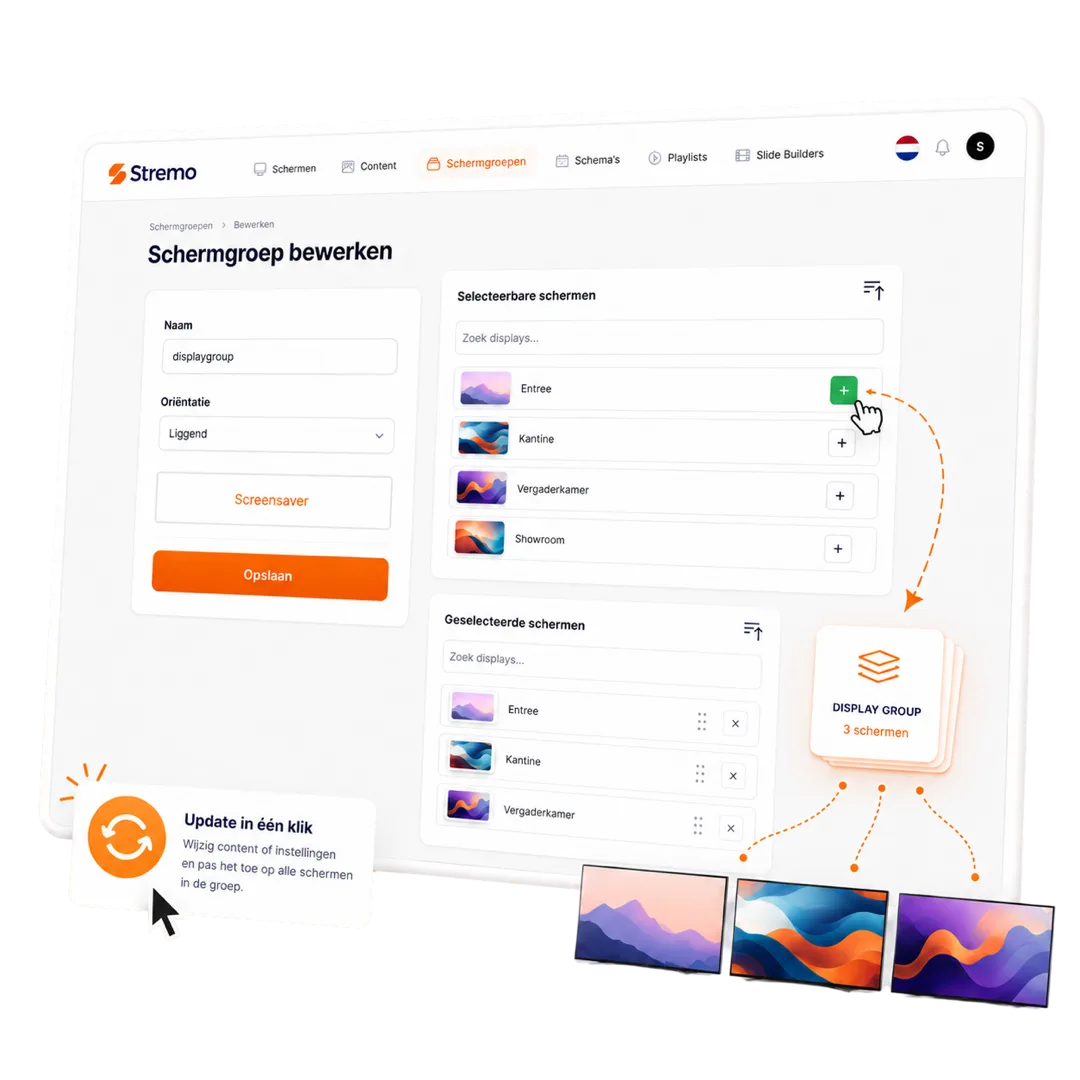
Managing screens centrally in the Stremo dashboard

What should you watch out for when comparing providers?

Two providers with the same price per screen can turn out very differently after a year. Already have a provider? Then compare your current invoice against these points:

  • Hidden costs for setup, users, modules, or integrations
  • Contract term: cancellable monthly or locked in for years?
  • Does it work with your own tools, like Google Sheets, Canva, and PowerPoint?
  • Support in Dutch, at no extra cost
  • Does screen twenty cost the same as screen one?
  • Does it work on your existing screens, or are you stuck with expensive players?
More questions? Check the FAQ
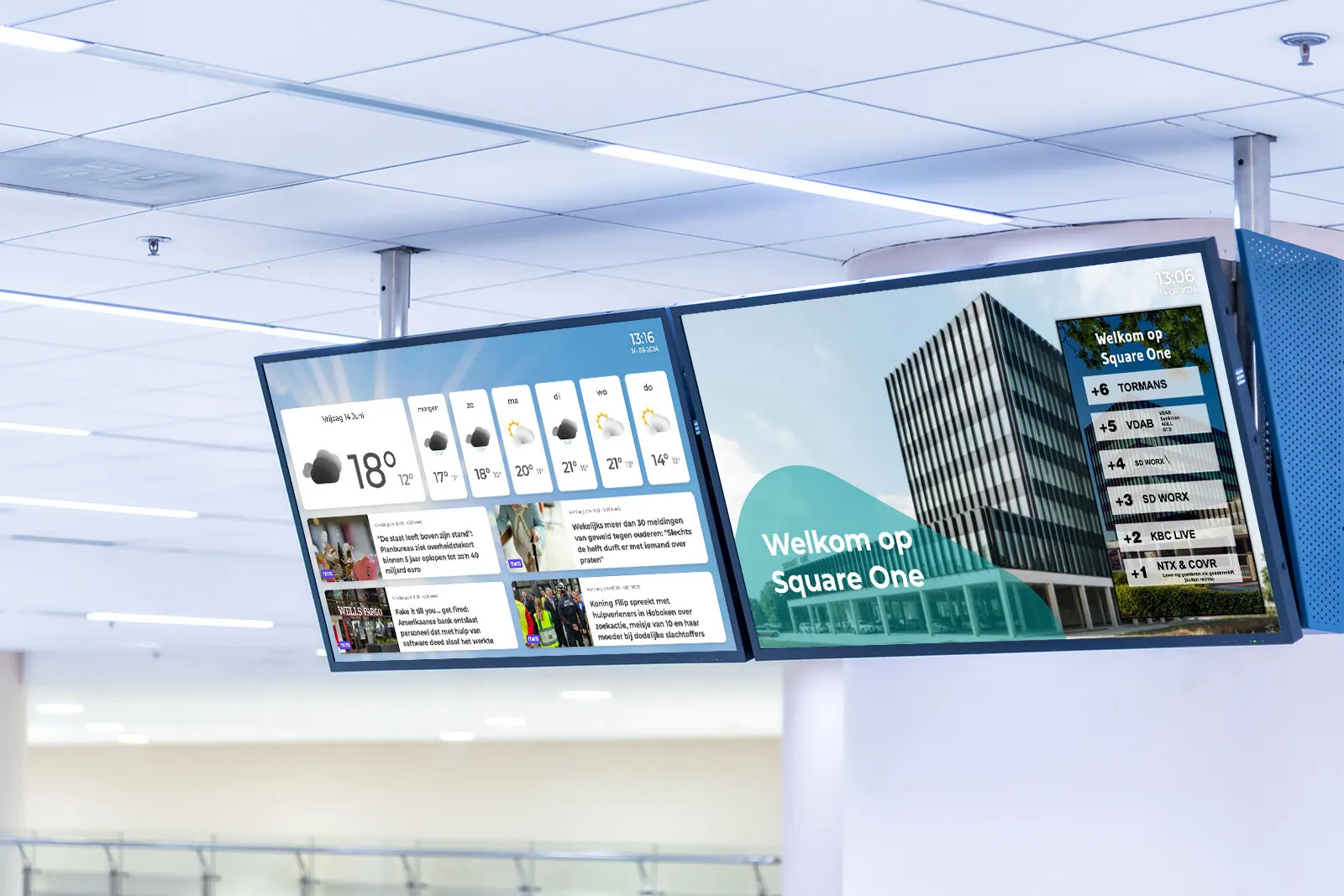
Two digital signage screens with news and weather in an office lobby
4,5/5Trustpilot

Organizations already using Stremo

From a lunchroom to a multi-location office: they already manage their screens centrally with Stremo.

★★★★★

"Great service. Pleasant contact and beautiful screens!"

Thomas van Echteltvia Trustpilot
★★★★★

"Great help and quickly online — definitely recommended!"

Patrickvia Trustpilot
★★★★★

"They think along, are approachable, and it's a great system."

Erikvia Trustpilot
★★★★★

"Very happy with Stremo! The customer service was excellent and the on-site installation went very smoothly. Everything was neatly arranged and we were helped well."

Neil van Kuilenburgvia Trustpilot
★★★★★

"Very happy with Stremo! The system is easy to use and works nicely. Editing and managing content is quick and simple. A great solution for digital signage. Definitely recommended!"

Chrisvia Trustpilot
★★★★★

"Very happy with Stremo! The service is excellent: quick responses, helpful thinking along, and questions explained clearly. The platform is pleasant and clear, with a dashboard that makes managing screen content easy."

vcompanyvia Trustpilot
★★★★★

"Very happy with the collaboration with Stremo. From the very first contact the communication was clear and professional. They think along well, keep their promises, and the approach feels personal and reliable. Recommended!"

Stijn van Wonderenvia Trustpilot
★★★★★

"I searched a while for digital signage software until I came across Stremo. We've now been using Stremo for over a year across several locations, and it always works."

Stefanvia Trustpilot
★★★★★

"Very happy with the end result and the road to it. The software is easy to roll out on both existing and new screens. Good, personal service that gives confidence in a lasting partnership."

Emilevia Trustpilot
★★★★★

"Very good service! They're there for every question. We only have one screen, but were still helped excellently. I highly recommend Stremo!"

Mondivia Trustpilot
★★★★★

"Works nicely — no errors or changes unless you make them yourself. That's the biggest difference compared to other digital signage companies."

Tegel Eendvia Trustpilot
★★★★★

"Good service, a user-friendly system, and professional installation. Definitely recommended!"

Marije Treurvia Trustpilot
★★★★★

"A problem with the digital signage was resolved super quickly. Clear explanations and short lines of communication."

GBI Soestvia Trustpilot
★★★★★

"Super simple and quick to use, and during implementation I had pleasant contact with customer service."

Patrick Stookervia Trustpilot
★★★★★

"I've had a good experience with Stremo. We use it for the screens in our hospitality business."

Hidde Drostevia Trustpilot
★★★★★

"Super personal service — we were quickly online with our new screens."

Storm Hoogervorstvia Trustpilot
★★★★★

"I was helped professionally by the staff and given good advice! Definitely recommended!"

Rick Burggraaffvia Trustpilot

Frequently asked questions about digital signage costs

How much does digital signage cost per month?

For the software you usually pay a fixed amount per screen per month. With Stremo that's $10 per screen per month with annual billing, or $13 with monthly billing. On top of that you have one-time costs for screens and sometimes a media player.

Can I use my existing TV?

Often, yes. Any TV with an HDMI port is suitable in principle. On a smart TV you usually install the app directly, so you don't need extra hardware. Otherwise you connect a small player, like the Stremo Player for $99 one-time ($139 with ethernet). Read more in using an existing TV for digital signage.

Are there installation costs?

It depends. If you mount and connect a TV yourself, there are no installation costs. If you have your screens mounted and delivered ready to use, we'll provide a quote for that: the cost depends on things like mounting, cabling, and the number of screens and locations. With Stremo Enterprise, from 10 screens, on-site delivery and installation are included.

How much does digital signage cost for hospitality?

A hospitality business with, for example, three menu boards and two screens in the venue pays $50 per month at Stremo for the software with annual billing. If smart TVs are already in place, there are no added hardware costs. Otherwise, for each TV without a suitable app you add a Stremo Player for $99 one-time ($139 with ethernet).

How much does digital signage cost for an office?

For an office you pay $10 per screen per month at Stremo with annual billing. With a reception screen and four screens for internal communication, that's $50 per month. Screens and any installation are added on a one-time basis.

Is there a free trial?

Yes. With Stremo you try digital signage free for 14 days on one screen. That way you first see whether it suits you, before you pay anything.


Get started today

Ready to get started with digital signage?

Discover how easy digital signage can be. Stremo helps businesses make information visible. Without the hassle.

Cta Image
User Image
Chat Image
Chat Image
Cta Image
Grid Background