




























Hero Background

How Stremo works, from connecting a screen to publishing.

Stremo makes narrowcasting simple: connect a screen through our app or Stremo Player, manage everything from a single online dashboard, and put your content live in just a few minutes. On this page you'll learn step by step how it works.

How Stremo works, from connecting a screen to publishing.

With narrowcasting you manage all your screens centrally from a single dashboard, instead of swapping content screen by screen with USB sticks, separate laptops, or local management. Without the hassle.

No credit card required

★★★★★
(283 reviews)
Background
Icon
Super easy

Everything works within a minute and you can get started right away.

Hero Statistic
Men Image
Background Shape
Statistic

How it works

Manage, schedule, and create your content with Stremo

After connecting your screen, you do everything from a single online dashboard. Below you'll see how each part works: from managing screens to scheduling and creating your content.

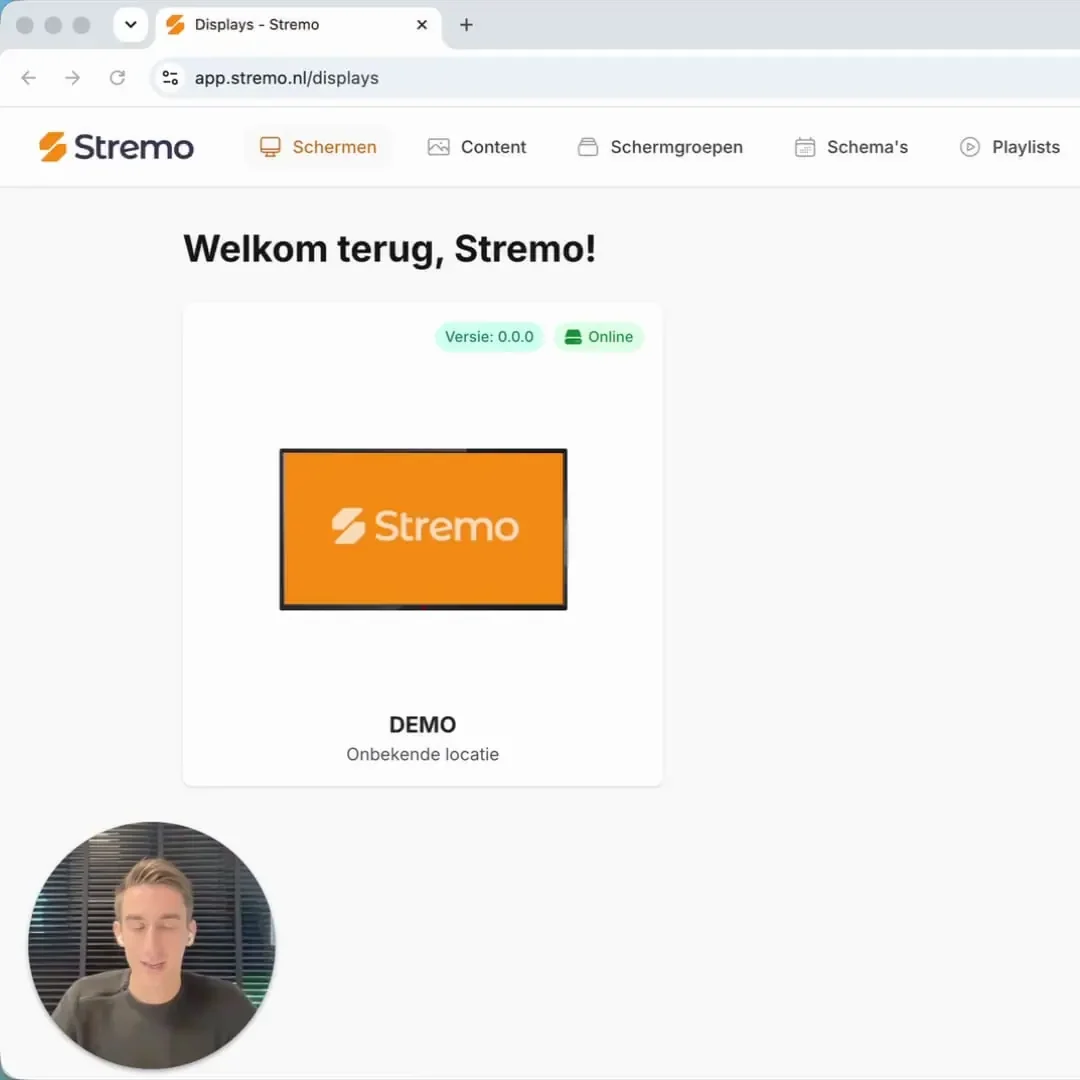
All your screens centrally in one dashboard

From your browser you see all your screens in one overview, wherever they're located. You instantly see which screens are online and what content is playing. Change a slide and within seconds the update appears on every connected screen.
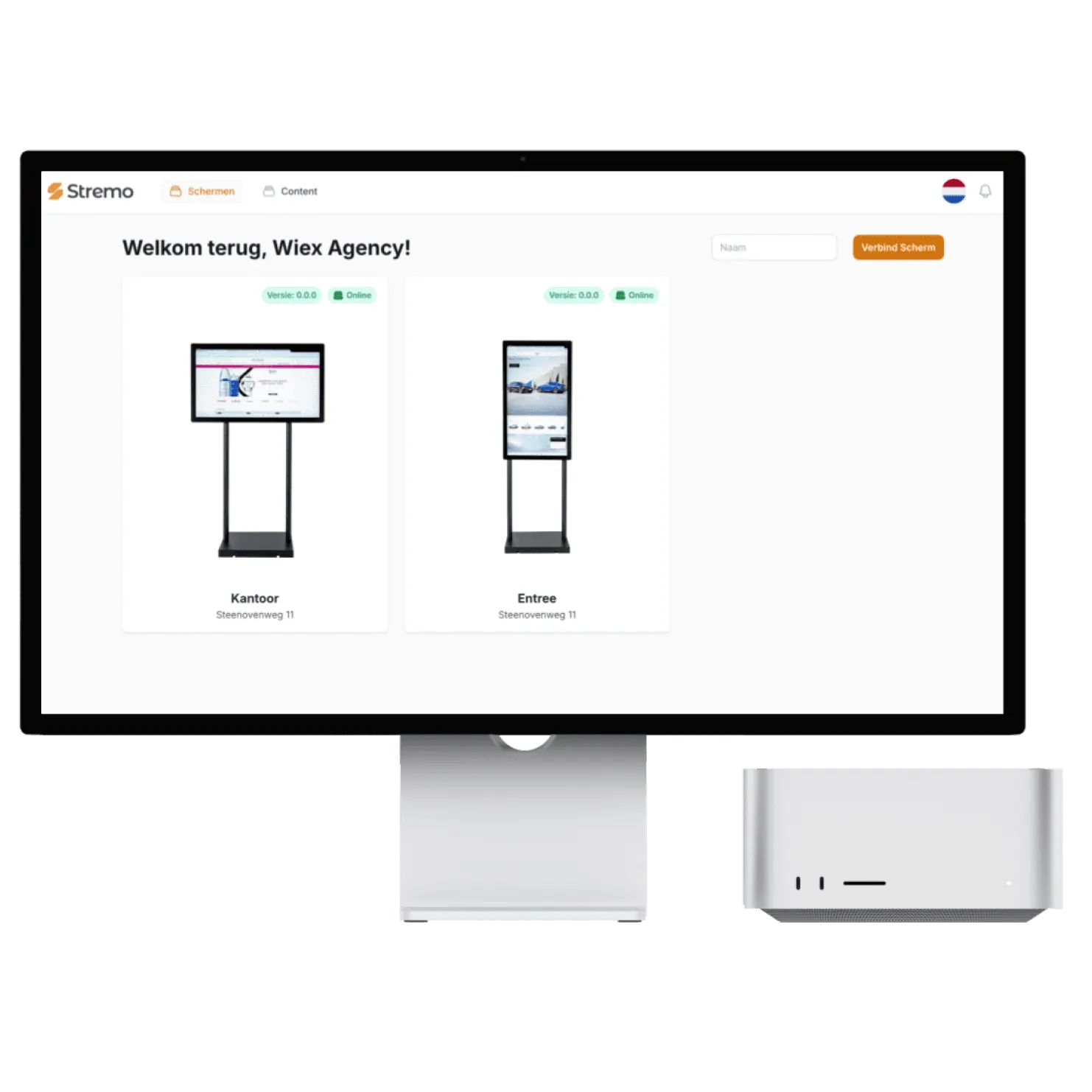
  • Group screens by location, room, or type
  • Give team members their own permissions and access
  • See the status of every screen in real time
  • No USB sticks or walking from screen to screen
Screen overview in the Stremo dashboard

Plan ahead with playlists and schedules

Put your content into playlists and decide per screen or group what plays and when. With daily and weekly schedules you plan ahead: the breakfast menu in the morning, lunch in the afternoon, a promotion on the weekend. Everything runs automatically according to your schedule.
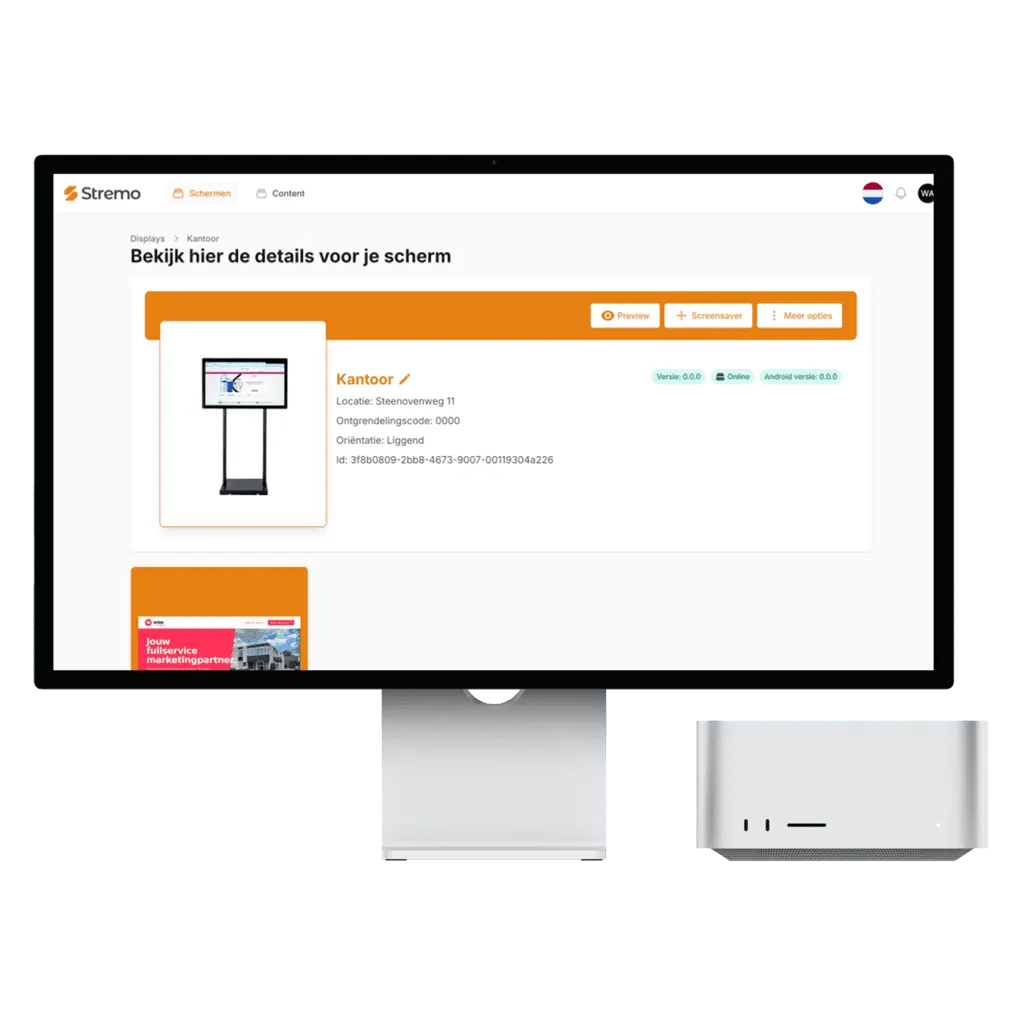
  • Drag content into a time slot and you're done
  • Automatic repetition or one-time updates
  • A separate schedule for each screen or group
  • Always in control of what plays where
Screen details and scheduling in the Stremo dashboard

Create professional content without a designer

With ready-made templates and the Slide Builder you create slides in your own branding in just a few minutes. Upload your own photos, videos, or presentations, or connect real-time sources like news, weather, and social media.
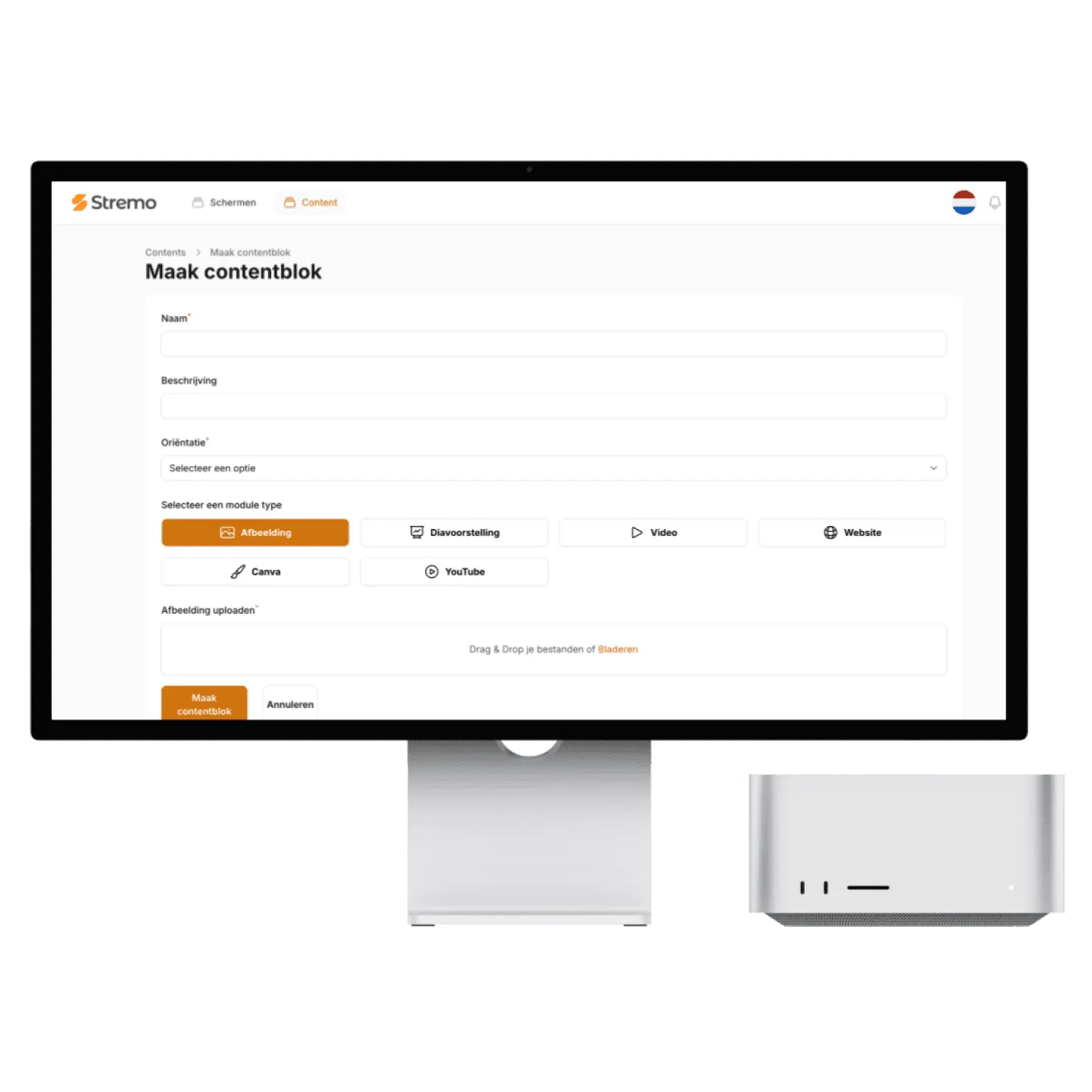
  • Templates in your own branding
  • Supports PowerPoint, Google Slides, and Canva, among others
  • Real-time widgets like weather, clock, and KPIs
  • Connect Instagram, reviews, calendars, and more
Creating a content block in the Stremo dashboard
Background Grid

Hardware

What hardware do you need?

Almost none. In many cases you install our app directly on your TV and need nothing else. If that's not possible, you use our Stremo Player or a Chromecast or Apple TV you already have. No expensive installation, no complicated technology.

TV with the Stremo app, no extra hardware

Your own screen or TV

Have a smart TV? Then you install the Stremo app directly on the TV. We'll check whether your TV is compatible based on its model or serial number.

FreeSmart TVNo extra hardware
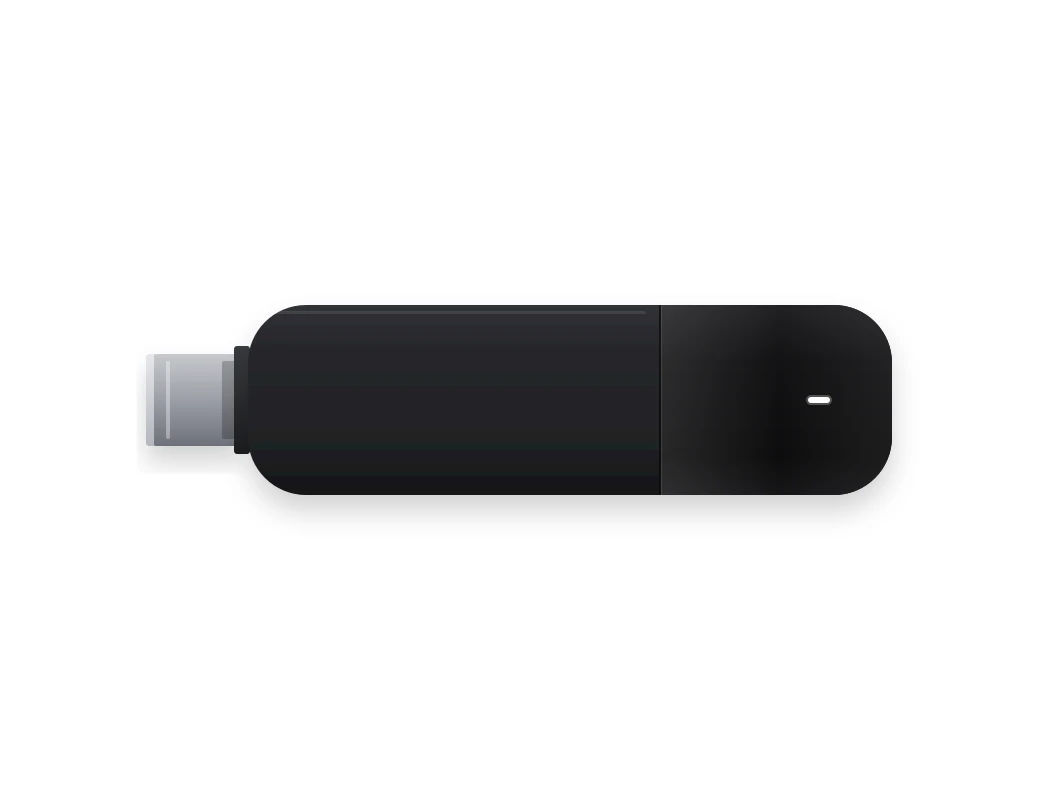
Stremo Player, preinstalled and connected to a TV

Stremo Player

No smart TV? Then we supply a Stremo Player for the HDMI port, preinstalled: plug it in and you're done. A one-time $99, or $149 with ethernet.

From $99 one-timeAny TV with HDMIWi-Fi or ethernet
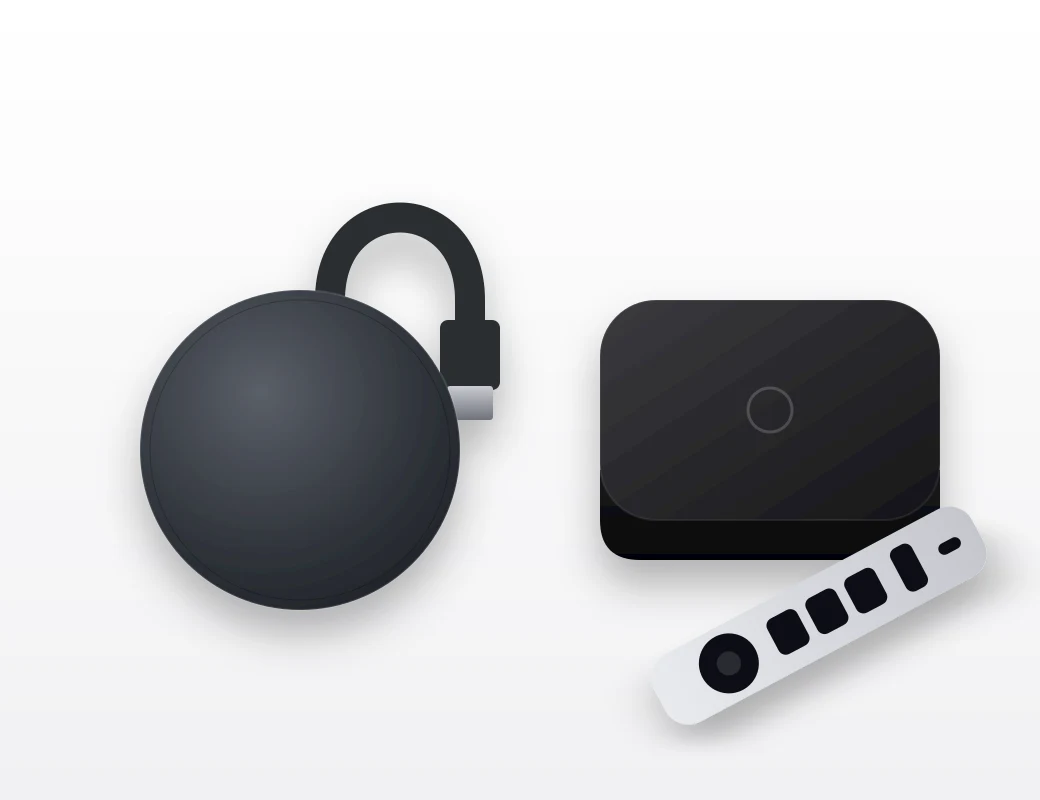
Your own Chromecast or Apple TV with the Stremo app

Your own player

Already have a Chromecast with Google TV or an Apple TV? Install our app directly on it. Request the guide via [email protected].

FreeChromecast or Apple TVGuide by email

How to connect a screen

The same for all three options, set up in one minute.

  1. 1
    Install or plug in

    Put the app on your TV or player, or plug the Stremo Player into the HDMI port.

  2. 2
    Pairing code appears

    The screen shows a unique code. You don't need to set up anything else on the TV.

  3. 3
    Enter the code in the dashboard

    Add a screen, enter the code, and your content is live.

Why Stremo

This is how you manage, schedule, and create your content with Stremo

Real-time management from one dashboard

From your browser you manage all screens at once, wherever you are. Change a slide and within seconds it's live on every connected display, fully automatically.

  • No USB sticks or walking around to screens

  • Update content while sitting at your desk

  • Monitor which screens are active

This saves time, prevents mistakes, and gives full control over all your screens.

Simple management & scheduling

Manage your screens clearly and schedule content effortlessly with drag-and-drop. Choose exactly which screen shows which content (down to the minute) without any technical knowledge.

  • Create weekly or daily schedules

  • Drag content into a time slot and you're done

  • Automatic repetition or one-time updates

With the planner you know exactly what runs where and always stay in control of your communication.

The Stremo dashboard with a connected screen

Works with your content & tools

Simply upload photos, videos, presentations, or real-time data from the systems you already use. You don't have to change your existing workflow — Stremo fits right in.

  • Supports PowerPoint, Google Slides, and more

  • Integrate it with Canva

  • Add real-time widgets (weather, clock, KPIs)

  • Create your own templates so it always matches your existing branding.

That's how you create professional content without extra work or learning new software.

Integrations

Connect with the tools you already use

App Logo
Interection Logo
App Logo
Interection Logo
App Logo
Interection Logo
App Logo
Interection Logo
App Logo
Interection Logo
App Logo
Interection Logo
App Logo
Interection Logo
App Logo
Interection Logo
App Logo
Interection Logo
App Logo
Interection Logo
Work Image

Thanks to Stremo we've given our organization a modern look. Our screens now always show up-to-date content, fully in our branding.

Author

Mike van der Born

Wiex Agency

How it works?

Get started today — here's how it works:

With Stremo you easily take the step to professional screen communication. Here's what the process looks like:

1. Create an account

Create an account and get instant access to the dashboard. No installation required.

2. Connect a screen

Connect a screen via our app or Stremo Player. Ready to use within a minute.

3. Set up your content

Drag your presentation, video, or schedule onto the screen. Instantly visible in the right layout.

4. Publish in real time

Select the content on the screens you want — it goes live instantly, no hassle with USB sticks.

Background Blush
Our pricing

Flexible plans for your organization

Our narrowcasting software is always tailored, so we deliver a solution that fits your needs. All prices exclude hardware.

Save ~20%

Free trial

For businesses that want a simple start with narrowcasting.

14 days free
Discover what's possible

Features

  • Stream to one screen
  • Use of basic modules (images and videos)
  • Manage 1 screen at a time
  • Stremo ad (1 slide + watermark)

Stremo Enterprise

More options and flexibility for your narrowcasting environment.

On request
Request a quote

Plus plan plus

  • Everything in Basic
  • Available from 10+ screens
  • Custom modules and integrations
  • Includes a permissions structure and multiple locations, with on-site delivery and installation
Background Blush

Our pricing

Transparent and flexible, no surprises.

Choose the plan that fits your situation. You pay per screen and can scale up at any time. Software and support included.

Save ~ 20%

Arrow Icon

Monthly

Annually

Free trial

For those who want a simple start and to experience for themselves how Stremo works.

14 days free
Features
Icon

Stream to one screen

Icon

Use of basic modules (images and videos)

Icon

Manage 1 screen at a time

Icon

Stremo ad (1 slide + watermark)

Stremo Basic

For those who want to get the most out of narrowcasting with Stremo.

$13
/month
Basic plan plus
Icon

Unlimited content switching

Icon

Multilingual content support

Icon

Access to all modules

Icon

Stream to multiple screens (price is per screen)

Most popular

Stremo Enterprise

For organizations with 10+ screens that need centralized content management.

On request
Plus plan plus
Icon

Everything in Basic

Icon

Available from 10+ screens

Icon

Custom modules and integrations

Icon

Includes a permissions structure and multiple locations, with on-site delivery and installation

FAQ

Always an answer to your questions

General

Businesses

1. What do I need to get started?
Plus

Just a screen with an internet connection and a free account. Connect the screen through our app or Stremo Player and you can get started right away, without installation or technical knowledge.

2. How quickly is my content live?
Plus

Instantly. Changes you make in the dashboard appear within seconds on all connected screens, wherever they're located.

3. Which screens can I use?
Plus

Almost any screen or TV with an HDMI connection works with Stremo. From a single screen at reception to video walls, in any size and both landscape and portrait.

4. Can I manage multiple screens or locations?
Plus

Yes, you manage all your screens from a single dashboard. Group screens by location or room and decide per group which content plays.

5. What happens if the internet goes down?
Plus

Your content just keeps playing. The screen stores the content locally and syncs automatically as soon as the connection is back.

Didn't find your answer? Our team is happy to help.
Background Pattern