Oct 21, 2026
Choosing a narrowcasting screen: regular TV or professional display?
Which narrowcasting screen suits you? Compare a regular TV with a professional display on brightness, lifespan, size and price.
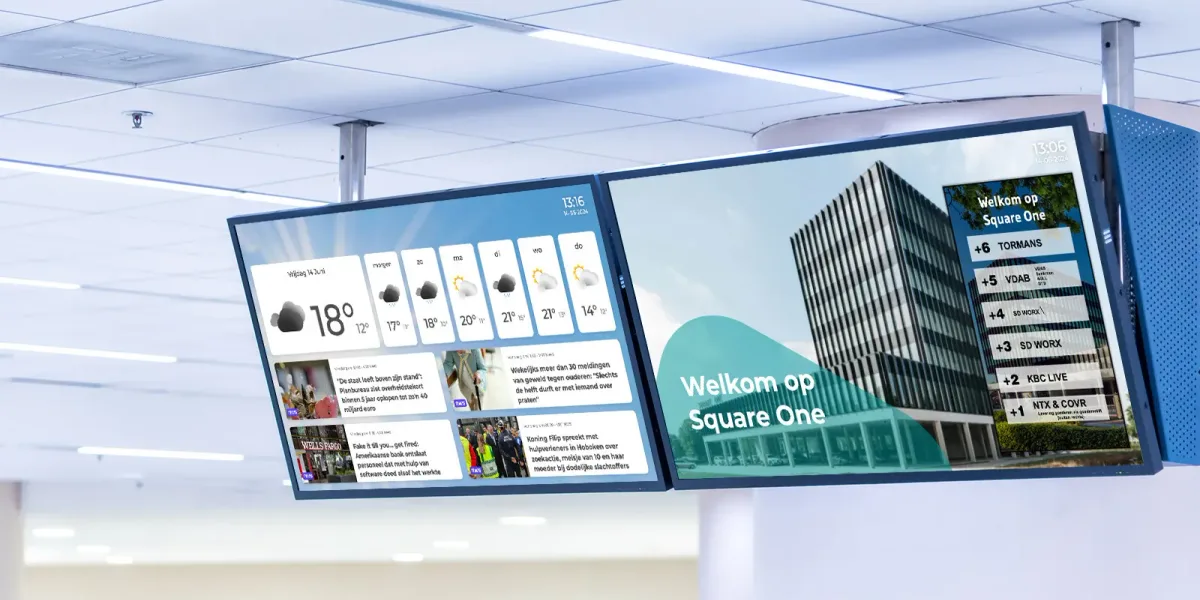
Anyone starting with narrowcasting soon asks the same question: which screen do I need? Will a TV from the electronics store do, or should it be a professional display? The answer depends on where the screen hangs, how many hours a day it's on and who's looking at it. In this article we line up the differences, so you choose the right narrowcasting screen without spending too much or too little.
What makes a good narrowcasting screen?
A narrowcasting screen shows information to visitors, customers or employees all day long. That asks something different of a screen than an evening of watching TV. The most important properties are:
- Operating hours: how many hours a day can the screen be on without wearing out?
- Brightness: is the image easy to read in daylight or against the light?
- Size: does the diagonal suit the viewing distance?
- Orientation: can the screen also be mounted upright (portrait)?
- Connections: is there HDMI, a network port or a built-in player?
- Warranty: does the warranty also cover commercial, long-hours use?
A regular TV as a narrowcasting screen
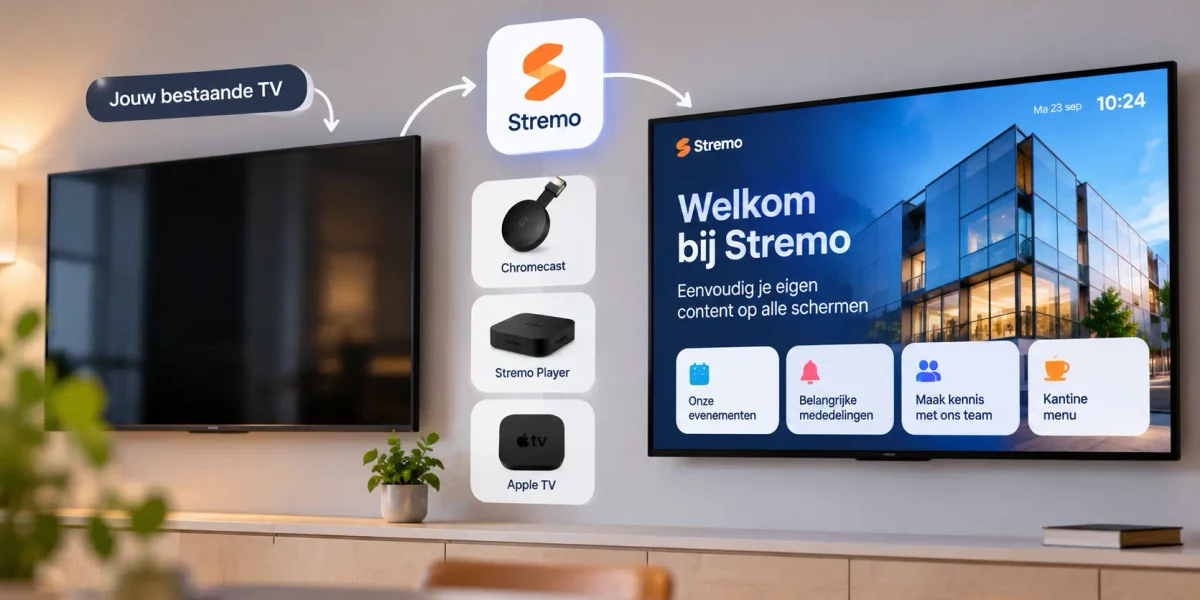
A consumer TV is the cheapest way to get started. A 43-inch TV often costs between $300 and $500. With a small media player behind it, your content looks just as good as on a more expensive screen.
When a TV works fine
- The screen is on for no more than 8 to 12 hours a day.
- It hangs indoors, away from direct sunlight.
- It hangs in landscape, like a regular TV.
- You use it for a canteen, waiting room or small shop.
The limitations of a TV
A TV is built for a few hours a day. If it's on for twelve hours or more every day, the screen wears out faster. Many manufacturers limit the warranty for commercial use. Static elements, such as a logo that always sits in the same place, can also burn in over time. And after a power cut or restart, a TV doesn't always switch back to the right input on its own.
Professional display: built for narrowcasting
Professional narrowcasting screens, also called signage displays, are designed to run long hours reliably. They cost more: expect roughly $600 to $1,200 for a 43-inch display, and $900 to $1,800 for 55 inches.
In return you get:
- Suitable for 16 or 24 hours a day, seven days a week.
- Higher brightness, often 500 nits or more, and special window displays of 2,500 nits or more for use behind glass.
- A matte screen that reflects less.
- Portrait mounting without the risk of overheating.
- A commercial warranty, often three years.
- Features such as switching on and off automatically at set times and locked controls.
What size narrowcasting screen do you need?
The right size depends on the distance people view from and how much text you show. As a rule of thumb:
- 32 to 43 inches: viewing distance up to about 3 meters, for example a counter, reception or checkout.
- 50 to 55 inches: 3 to 5 meters, such as a waiting room, canteen or shop floor.
- 65 inches and up: more than 5 meters, for example in a sports hall, large lobby or production hall.
In doubt? Go a little bigger. A screen that's too small forces you to show less information or use smaller text, and that hurts readability.
Landscape or portrait?
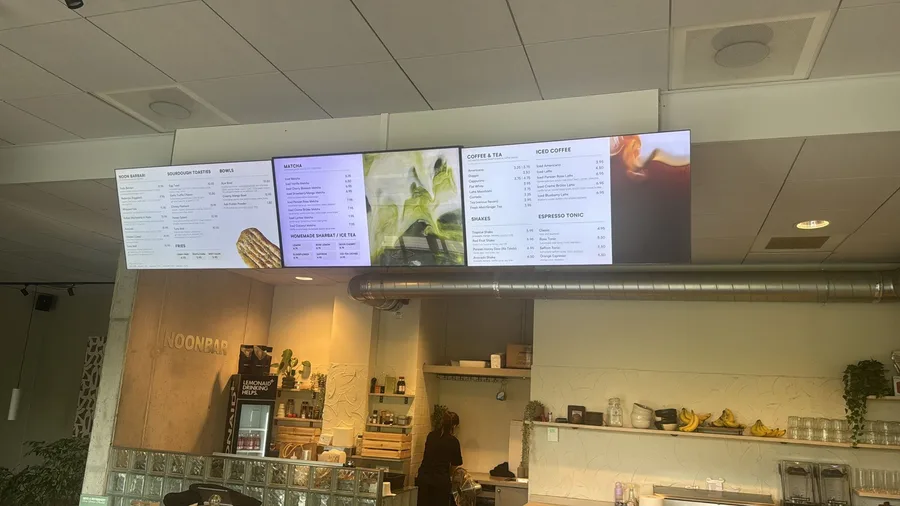
Landscape is the standard and suits video, dashboards and schedules. Portrait works well for menus, offers and in-store advertising, because it looks like a poster. Want to mount it upright? Check that the screen is suitable for it. Many consumer TVs aren't, because their ventilation is designed for landscape use.
Screen and player: how they work together
A narrowcasting screen needs content. That comes from a media player: a separate box behind the screen or a player built into the display. On the How it works page you'll see which hardware you can use with Stremo. Want to know what screen, player and software cost together? Then read what narrowcasting costs.
Buying a narrowcasting screen: checklist
- How many hours a day is the screen on?
- Does it hang near a window or in the sun?
- From what distance do people look at it?
- Does it hang in landscape or portrait?
- Is there power and a network connection where it will go?
- What warranty do you get for commercial use?
- Does the screen, or the player behind it, work with your narrowcasting software?
Frequently asked questions
Can I use an existing TV?
Yes, for a first test or a screen that's only on for part of the day, that works fine. Connect a media player and you can get started right away. Read more in can I use my existing TV for narrowcasting?
What does a narrowcasting screen cost per month?
On top of the purchase, you pay for the software. With Stremo you try it free for 14 days; after that the Basic plan costs $10 per screen per month billed annually, or $13 billed monthly. The pricing page shows what's included.
How long does a professional display last?
With normal use, a professional display often lasts five to seven years, even when it's on all day.
Try it on your own screen first
Curious how your content looks on the screen you already have? Try Stremo free for 14 days. You don't need a credit card, and you can see right away whether your current screen will do.