Nov 16, 2026
Digital price list: how to update prices automatically on all your screens
A digital price list updates prices on all your screens at once. Learn how it works with Google Sheets, who it's useful for and which rules apply.
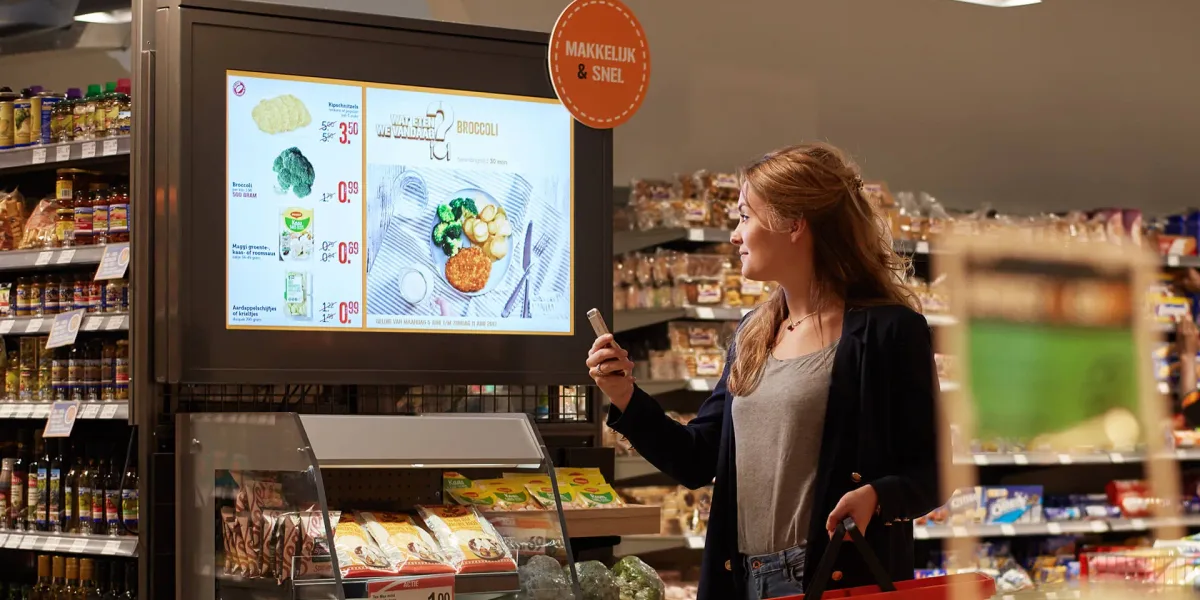
Prices change. Purchase prices go up, you run a temporary promotion or you adjust your product range. With paper price lists, that means printing, laminating and hanging them up all over again every time. And with multiple locations, you run the risk that an old price is still on display somewhere. A digital price list solves that: you change the price once and every screen is updated immediately. In this article you'll learn how it works and who it's useful for.
What is a digital price list?
A digital price list is an overview of products or services with prices that's shown on a screen instead of on paper. The difference from a regular slide: the prices come from a central source, such as a spreadsheet. Change something there and it updates automatically on every screen. So you don't have to redesign or upload anything.
Who is a digital price list useful for?
In hospitality, you'll quickly think of menu boards, but a digital price list is useful in many more industries.
- Bakeries, butchers and delis with daily prices and a changing selection.
- Hair salons, beauty salons and nail studios with an overview of treatments.
- Wholesalers and pickup counters with many products and frequently changing purchase prices.
- Car garages, bike shops and tire services with fixed prices for maintenance.
- Gyms and swimming pools with memberships and day passes.
- Retail chains with multiple locations that want to show the same prices everywhere.
How an automatic price list works
1. One central source
You put your products and prices in a spreadsheet, for example in Google Sheets. That's the only place where you change prices. You can create columns for the name, description, price and, if you like, a promotional price.
2. Connect it to your screens
With the Stremo Google Sheets integration you connect your spreadsheet to your screens once. For hospitality, there's also a dedicated integration for menus and daily specials. You then manage your dishes and prices in Google Sheets or directly in Stremo. Changes appear on all your screens automatically.
3. Schedule by time of day
With schedules you can show a different price list for each day or time of day. Think of a breakfast menu in the morning and a lunch menu from noon, or a happy hour that starts and ends automatically. That way, nobody has to remember to switch anything over.
4. Manage multiple locations centrally
If you have multiple locations, put the screens for each location in a screen group. You change a price centrally and every location shows the right price immediately. With user permissions you can also let local staff manage their own screen, while head office keeps the overview.
The benefits at a glance
- No more printing costs every time a price changes.
- Prices are always consistent and up to date on every screen and at every location.
- Fewer mistakes, because you only make changes in one place.
- You can roll out promotions and daily prices right away.
- A digital screen stands out more than a paper list and looks more professional.
Digital price list or electronic shelf labels?
Electronic shelf labels are small digital labels on the shelf. They show the price per product and are mainly used by supermarkets and large stores. A digital price list on a screen is something different: it shows an overview of multiple products or services and can also display images, promotions and other content. The two complement each other well. A store can combine electronic shelf labels with a screen for promotions and featured products.
Mind the rules for prices and discounts
The rules for price indication apply on a screen too. Consumer prices must be clear and shown including VAT. If you announce a discount, then according to the ACM (the Dutch Authority for Consumers and Markets) you must compare it with the lowest price you charged in the 30 days before the discount. The ACM enforces this both in physical stores and online. A central price list makes it easier to keep track of this properly, because you know exactly which price applied when.
Tips for an effective digital price list
- Keep it clear: two screens with eight products each are better than one screen with thirty.
- Use large, high-contrast numbers so prices are readable from a distance.
- Make promotions stand out with a different color or a label.
- Alternate the price list with images of your products to hold attention.
- After making a change, quickly check that everything looks right on the screen.
Frequently asked questions
Do I need to be technical to create a digital price list?
No. If you can fill in a spreadsheet, you can keep a digital price list up to date. The integration takes care of the rest.
What if the internet goes down?
Stremo stores content locally. The screen keeps showing the latest version and syncs automatically as soon as the connection is back.
Can I show different prices at each location?
Yes. With screen groups you can show a different price list for each location, for example if you use regional pricing.
Never show an outdated price again
A digital price list saves you time, prevents mistakes and looks more professional. With Stremo, you connect your prices to your screens once and from then on it runs by itself, whether on one screen or a hundred. Try Stremo free for 14 days, no credit card required, or request a demo.